


Cloud Storage Security Basics
Cloud storage has become a fundamental part of modern digital life. From personal photos and documents to business records and collaborative projects, vast amounts of data now reside on remote servers rather than local devices.
While cloud platforms offer convenience, accessibility, and scalability, they also introduce new security responsibilities. Data stored in the cloud is no longer protected by physical control alone, making proper security practices essential.
Understanding cloud storage security basics empowers users to protect sensitive files, prevent unauthorized access, and maintain control over their digital information.
How Cloud Storage Works Behind the Scenes
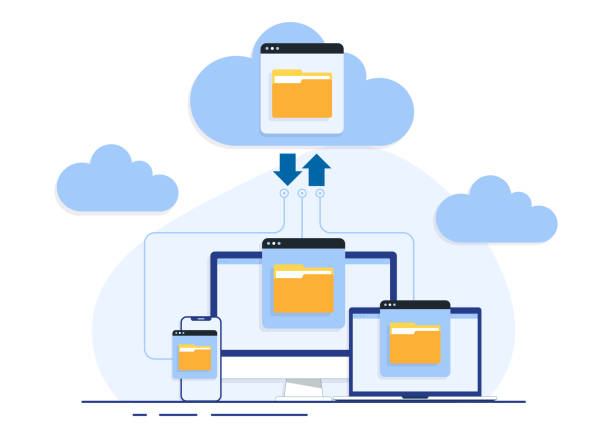
Cloud storage providers store data across distributed data centers, often replicating files to ensure availability and reliability. Users access their data through web interfaces, desktop applications, or mobile apps.
This architecture removes the burden of hardware maintenance from users, but it also means that data travels across networks and resides on systems managed by third parties.
Security therefore becomes a shared responsibility between the provider and the user, requiring awareness of both platform protections and individual configuration choices.
The Shared Responsibility Model
One of the most misunderstood aspects of cloud security is the shared responsibility model. While cloud providers secure the underlying infrastructure, users are responsible for securing their data, access controls, and configurations.
Providers protect physical data centers, network hardware, and core services, but they do not control how users manage passwords, permissions, or file-sharing settings.
Misconfigured access permissions remain one of the leading causes of cloud data exposure, highlighting the importance of user-side security practices.
Encryption: Protecting Data at Rest and in Transit
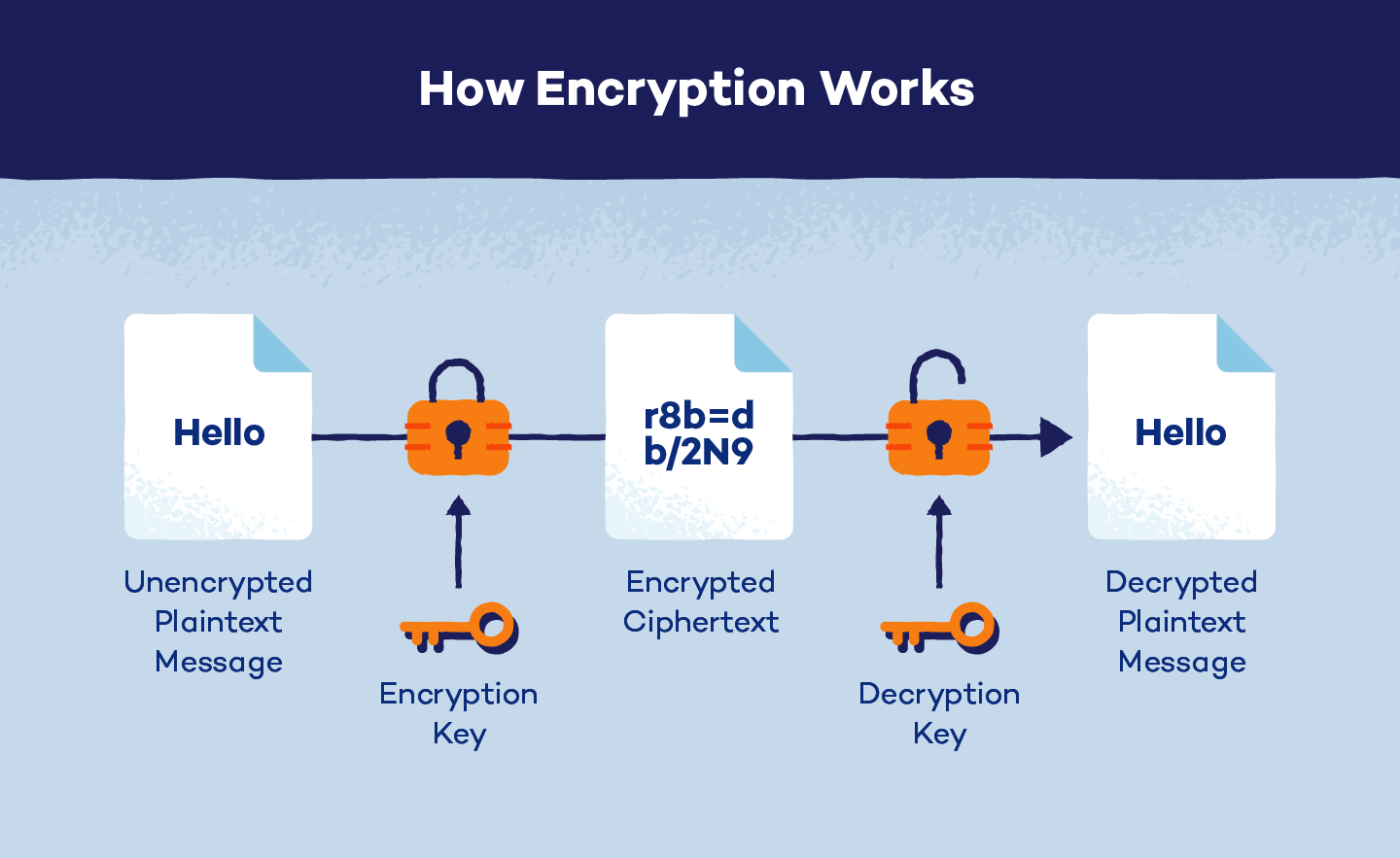
Encryption is a foundational component of cloud storage security. It ensures that data remains unreadable to unauthorized parties, even if it is intercepted or accessed improperly.
Data encryption occurs in two key states: at rest and in transit. Encryption at rest protects files stored on servers, while encryption in transit secures data as it moves between devices and cloud platforms.
Reputable cloud providers implement strong encryption by default, but users should also understand whether they control encryption keys or rely solely on provider-managed security.
Account Security and Authentication
Access to cloud storage is typically controlled through user accounts, making account security a critical defense layer. Weak passwords or reused credentials significantly increase the risk of unauthorized access.
Multi-factor authentication adds an additional verification step, requiring users to confirm their identity through a secondary method such as a mobile device or biometric prompt.
Even if login credentials are compromised, strong authentication measures can prevent attackers from accessing stored data.
Secure File Sharing and Permission Management
Cloud platforms make file sharing easy, but convenience can lead to oversharing if permissions are not carefully managed. Public links or unrestricted access settings can unintentionally expose sensitive data.
Users should assign the minimum required permissions, granting view-only access when editing is unnecessary and limiting sharing to specific individuals whenever possible.
Regularly reviewing shared files helps identify outdated links and permissions that no longer serve a legitimate purpose.

Data Backup and Recovery Considerations
While cloud storage significantly improves data availability and accessibility, it should never be considered a complete replacement for a dedicated backup strategy. Data can still be lost due to accidental deletion, ransomware attacks, account compromise, synchronization errors, or service disruptions. Organizations and individuals should maintain independent backups stored separately from their primary cloud environment to ensure business continuity. Following the widely accepted 3-2-1 backup strategy—keeping multiple copies of data on different storage media with one copy stored offsite—provides an additional layer of resilience against unexpected incidents and helps reduce downtime during recovery.
Maintaining independent backups ensures that critical information can be restored even if access to the primary cloud account becomes unavailable or data is permanently deleted. Many cloud providers offer version history, recycle bins, and recovery features that allow users to restore previous file versions after accidental modifications or corruption. These capabilities should be enabled and regularly reviewed as part of an organization’s data protection policy. Periodic testing of backup restoration procedures is equally important, as successful backups are only valuable if the stored data can be recovered quickly and accurately when needed.
A layered backup strategy strengthens resilience against both technical failures and cybersecurity incidents by combining automated cloud backups with local storage and secure offline copies. Organizations should establish clear backup schedules, define recovery objectives, and monitor backup processes to ensure they complete successfully. Regular audits help verify data integrity, while encryption protects backup files from unauthorized access. By implementing multiple layers of protection, businesses can minimize operational disruption, safeguard valuable information, and recover confidently from a wide range of unexpected events.
Recognizing Cloud-Based Security Threats
Cloud storage environments are frequently targeted through phishing campaigns, credential theft, malicious third-party applications, and social engineering attacks rather than direct exploitation of the cloud platform itself. Attackers often attempt to compromise user accounts because valid credentials provide immediate access to valuable files and sensitive information. Weak passwords, reused credentials, and insufficient authentication measures further increase the likelihood of unauthorized access. Understanding these common attack techniques helps users recognize potential risks before they escalate into serious security incidents.
Fake file-sharing notifications, fraudulent login alerts, and convincing email messages are among the most common methods used to trick users into revealing account credentials. Cybercriminals often create realistic-looking websites that imitate legitimate cloud providers to capture login details without raising suspicion. Once attackers gain access, they may download confidential documents, modify important files, delete valuable information, or distribute malware through shared folders. Verifying links, checking sender identities, and avoiding unexpected login requests significantly reduce the risk of falling victim to these attacks.
Awareness of cloud-based attack patterns is one of the most effective defenses against account compromise and data loss. Users should regularly review account activity, monitor login history, and enable security notifications to identify unusual behavior as early as possible. Organizations should also provide continuous cybersecurity awareness training to help employees recognize phishing attempts, suspicious applications, and unauthorized access requests. Combining informed users with strong technical safeguards creates a more resilient cloud security environment.
Best Practices for Everyday Cloud Security
Strong cloud security is built through consistent daily practices rather than relying solely on advanced security technologies. Using strong and unique passwords for every account, enabling multi-factor authentication, and reviewing account permissions regularly establish a solid foundation for protecting sensitive information. Users should avoid sharing credentials, monitor account activity for unusual behavior, and immediately update passwords if suspicious activity is detected. Small security habits practiced consistently provide meaningful long-term protection against common cyber threats.
Keeping operating systems, browsers, and applications updated ensures that known vulnerabilities are patched before attackers can exploit them. Users should only install trusted third-party applications that genuinely require access to cloud storage and periodically review connected services to remove unnecessary permissions. Secure network connections, encrypted devices, and endpoint protection solutions further strengthen overall security. Maintaining these best practices reduces exposure to avoidable risks while improving the overall resilience of cloud environments.
Effective cloud security is an ongoing process that combines technology, awareness, and regular maintenance. Organizations should establish clear security policies, encourage responsible data handling, and periodically assess their cloud environments for potential vulnerabilities. Routine security reviews, access audits, and user education programs help ensure that protection measures remain effective as technology evolves. By integrating security into everyday workflows, users can confidently benefit from cloud computing while minimizing the likelihood of security incidents.
Conclusion
Cloud storage offers significant advantages in terms of accessibility, collaboration, scalability, and operational efficiency, making it an essential component of modern digital infrastructure. However, these benefits can only be fully realized when security remains a continuous priority. Understanding how cloud data is stored, shared, protected, and accessed enables users to make informed decisions that reduce unnecessary exposure to cyber threats. Responsible cloud usage is built upon knowledge, awareness, and the consistent application of proven security practices.
By implementing strong authentication, encryption, careful permission management, reliable backup strategies, and ongoing security awareness, individuals and organizations can significantly reduce the risks associated with cloud computing. Cloud security is not achieved through a single tool or feature but through a comprehensive approach that combines people, processes, and technology. Taking proactive steps today helps protect valuable information, maintain business continuity, and build confidence in an increasingly connected digital world.
Leave a Reply