

Why Two-Factor Authentication Matters
In today’s digital environment, cyberattacks targeting passwords and user credentials have become increasingly sophisticated. Data breaches affecting millions of accounts are now commonplace, leaving sensitive personal and organizational information at risk.
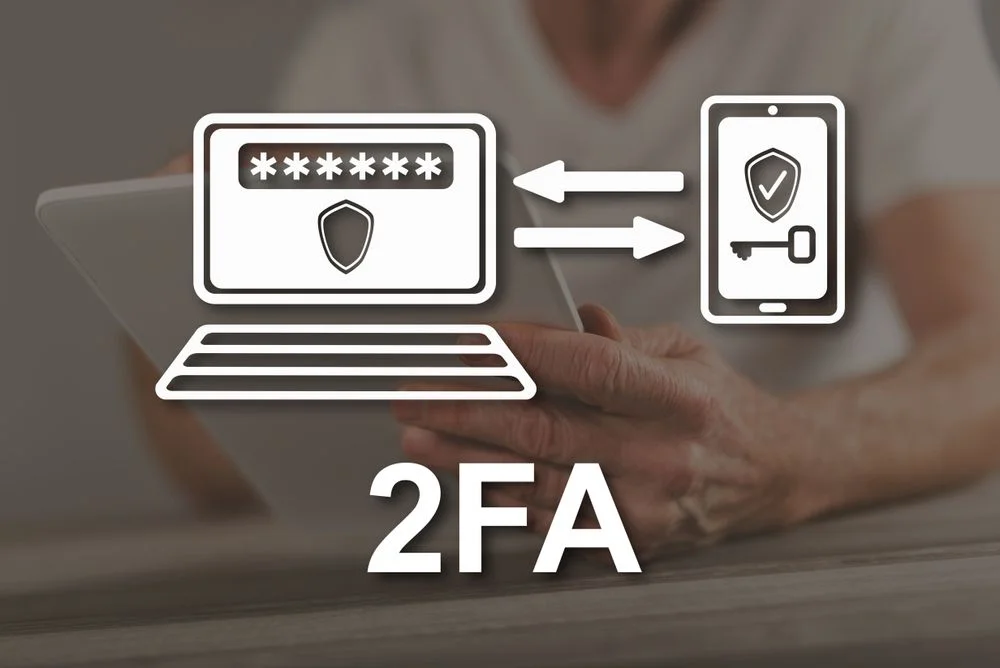
Two-Factor Authentication (2FA) provides a critical security layer beyond passwords, dramatically reducing the likelihood of unauthorized account access. It works by combining something the user knows (a password) with a second factor, which can be something the user has (a device or token) or something the user is (biometric data).
Understanding 2FA in depth allows individuals and organizations to implement robust defenses, protect critical information, and mitigate the impact of credential theft.
How Two-Factor Authentication Works: The Mechanics
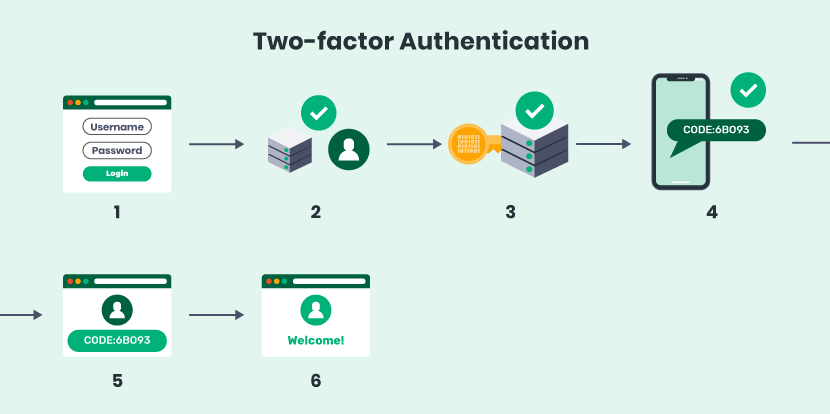
Two-Factor Authentication (2FA) strengthens account security by requiring users to verify their identity using two separate authentication factors before access is granted. Unlike traditional password-only authentication, 2FA combines multiple layers of verification to ensure that a compromised password alone cannot provide unauthorized access. The authentication process significantly reduces the risk of credential theft by requiring an additional form of identity confirmation. This layered approach has become a widely adopted security standard for protecting personal, business, and cloud-based accounts against modern cyber threats.
- Knowledge factor: Something the user knows, such as a password or PIN.
- Possession factor: Something the user has, such as a smartphone, hardware security key, smart card, or authenticator application that generates one-time verification codes.
- Inherence factor: Something the user is, including biometric identifiers such as fingerprints, facial recognition, iris scanning, or voice recognition.
By requiring authentication factors from different categories, Two-Factor Authentication creates multiple barriers that attackers must overcome to compromise an account. Even if passwords are stolen through phishing, malware, or data breaches, the absence of the second verification factor prevents unauthorized login attempts. This additional protection greatly improves account security, making credential-based attacks significantly more difficult while increasing user confidence in the safety of online services.

Why Passwords Alone Are Vulnerable
Passwords have long served as the primary method of securing digital accounts, but they are increasingly vulnerable to modern cyber threats. Many users reuse the same password across multiple services, choose weak passwords, or fail to update credentials after security breaches. As a result, a compromise on one platform can expose accounts on several others. Human behavior, rather than technology, often becomes the weakest link in password-based security systems.
Attackers employ numerous techniques to obtain passwords, including phishing emails, credential stuffing attacks, brute-force attempts, keylogging malware, and social engineering campaigns. Automated tools can rapidly test millions of password combinations or exploit previously leaked credentials from public data breaches. Once valid login information is obtained, attackers may access sensitive accounts, steal confidential information, conduct financial fraud, or impersonate legitimate users without immediately raising suspicion.
Two-Factor Authentication effectively addresses these weaknesses by introducing an additional verification requirement that cannot easily be duplicated by attackers. Whether the second factor involves a physical device, biometric verification, or a secure authentication application, it significantly reduces the likelihood of unauthorized access. Even if passwords become exposed, attackers still face an additional security barrier that protects valuable personal and organizational data.
Common Types of Two-Factor Authentication
Multiple forms of Two-Factor Authentication are available today, each offering different levels of convenience, security, and implementation complexity. Selecting the appropriate method depends on the sensitivity of the protected information, organizational security requirements, and user preferences. While every method improves security compared to passwords alone, some approaches provide stronger protection against sophisticated attacks than others.
- SMS-based codes: One-time verification codes delivered through text messages. Although simple to use, SMS authentication can be vulnerable to SIM-swapping attacks and mobile network interception.
- Authenticator applications: Applications such as Google Authenticator, Microsoft Authenticator, and Authy generate time-based one-time passwords locally on the user’s device without relying on mobile networks, providing stronger protection.
- Hardware security keys: Physical authentication devices that securely store cryptographic credentials and provide highly secure login verification, particularly within enterprise and high-security environments.
- Biometric authentication: Fingerprints, facial recognition, iris scanning, or voice verification provide convenient and secure identity confirmation while requiring compatible hardware and careful privacy management.
Enabling 2FA on Popular Platforms
Most major online platforms now provide built-in support for Two-Factor Authentication, allowing users to significantly strengthen account protection with only a few configuration steps. Email providers, social networking platforms, financial services, productivity applications, and cloud storage providers all encourage users to enable additional authentication factors to reduce the likelihood of unauthorized account access and credential-based attacks.
- Email: Services such as Gmail, Outlook, and Yahoo support authenticator applications, SMS verification, hardware security keys, and backup recovery methods.
- Social media: Facebook, Instagram, X (formerly Twitter), LinkedIn, and similar platforms offer optional secondary verification to secure user accounts from takeover attempts.
- Cloud storage: Google Drive, Dropbox, Microsoft OneDrive, and other cloud platforms support Two-Factor Authentication to protect confidential files, documents, and collaborative workspaces.
Enabling Two-Factor Authentication typically involves visiting the account security settings, selecting the preferred authentication method, verifying ownership of the chosen device, and securely storing backup recovery codes. Once configured, users are prompted for the second verification factor whenever they log in from an unrecognized device or location. Completing these simple setup steps substantially improves overall account security with minimal impact on everyday usability.
Benefits of Two-Factor Authentication
Implementing Two-Factor Authentication provides substantial security benefits for both individuals and organizations by reducing the likelihood of unauthorized account access. The additional verification layer helps protect sensitive information even when passwords are compromised through phishing attacks, malware infections, or third-party data breaches. As cyber threats continue to evolve, 2FA has become one of the most effective and accessible methods of improving digital identity protection.
- Reduced risk of account compromise: Stolen passwords alone are insufficient to access protected accounts without the second authentication factor.
- Protection against phishing and credential theft: Temporary verification codes and device-based authentication significantly reduce the effectiveness of stolen login credentials.
- Stronger organizational security: Businesses reduce exposure to account hijacking, insider threats, and unauthorized access to sensitive corporate resources.
- Greater user confidence: Additional authentication provides reassurance that valuable personal information and business data remain better protected against evolving cyber threats.
Best Practices for Maximizing 2FA Security
To maximize the effectiveness of Two-Factor Authentication, users should combine it with other fundamental cybersecurity practices rather than relying on it as a standalone defense. Choosing stronger authentication methods, protecting recovery information, monitoring account activity, and maintaining secure devices all contribute to a more resilient security posture. Consistent security habits significantly improve long-term protection against account compromise.
- Use authenticator applications or hardware security keys whenever possible instead of relying solely on SMS verification.
- Store backup recovery codes securely in an offline location to ensure account recovery if the primary authentication device is lost or damaged.
- Regularly review trusted devices and authorized sessions, removing any that are no longer in use or appear unfamiliar.
- Enable Two-Factor Authentication on all accounts containing sensitive information, including email, financial services, cloud storage, and business applications.
Conclusion
Two-Factor Authentication has become an essential component of modern cybersecurity by adding an additional verification layer beyond traditional passwords. Although no security measure can eliminate every cyber threat, 2FA dramatically reduces the likelihood of unauthorized account access and protects sensitive information against many common attack techniques. Its simplicity, effectiveness, and widespread availability make it one of the most valuable security features available to today’s internet users.
Consistently enabling Two-Factor Authentication across personal, professional, and organizational accounts represents one of the most practical steps individuals can take to strengthen their digital security. When combined with strong passwords, regular software updates, and continuous security awareness, 2FA provides a powerful defense against evolving cyber threats while helping users maintain greater confidence in the security of their online activities.
Leave a Reply